
Job Costing
5 Job Costing Mistakes That Kill Contractor Profits
Published November 14, 2025 · Updated August 11, 2026
- job costing
- quickbooks
- contractors
- bookkeeping

Answer first: Most contractors do not lose profit because they cannot build. They lose it because job costs never land on the right job in time. Fix five habits in QuickBooks Online: stop dumping job costs into overhead, burden labor correctly, track change orders, ditch spreadsheet chaos, and review profitability weekly instead of at month-end.
I won the bid. I lost the profit. That was the lesson from a $500k public school renovation with HERC Construction, LLC in 2023. The work looked like a win until final numbers barely broke even. The culprit was sloppy job costing. If you treat every expense like overhead or wait until month-end to see true cost, you are bidding blind.
Related reading: contractor payroll challenges and business plan financial projections.
Mistake 1: Treating all costs as overhead
Dump trucks, fuel, small tools: many contractors lump these into general overhead instead of assigning them to specific jobs. Result: you underbid the next project because you do not know the true cost of doing the work.
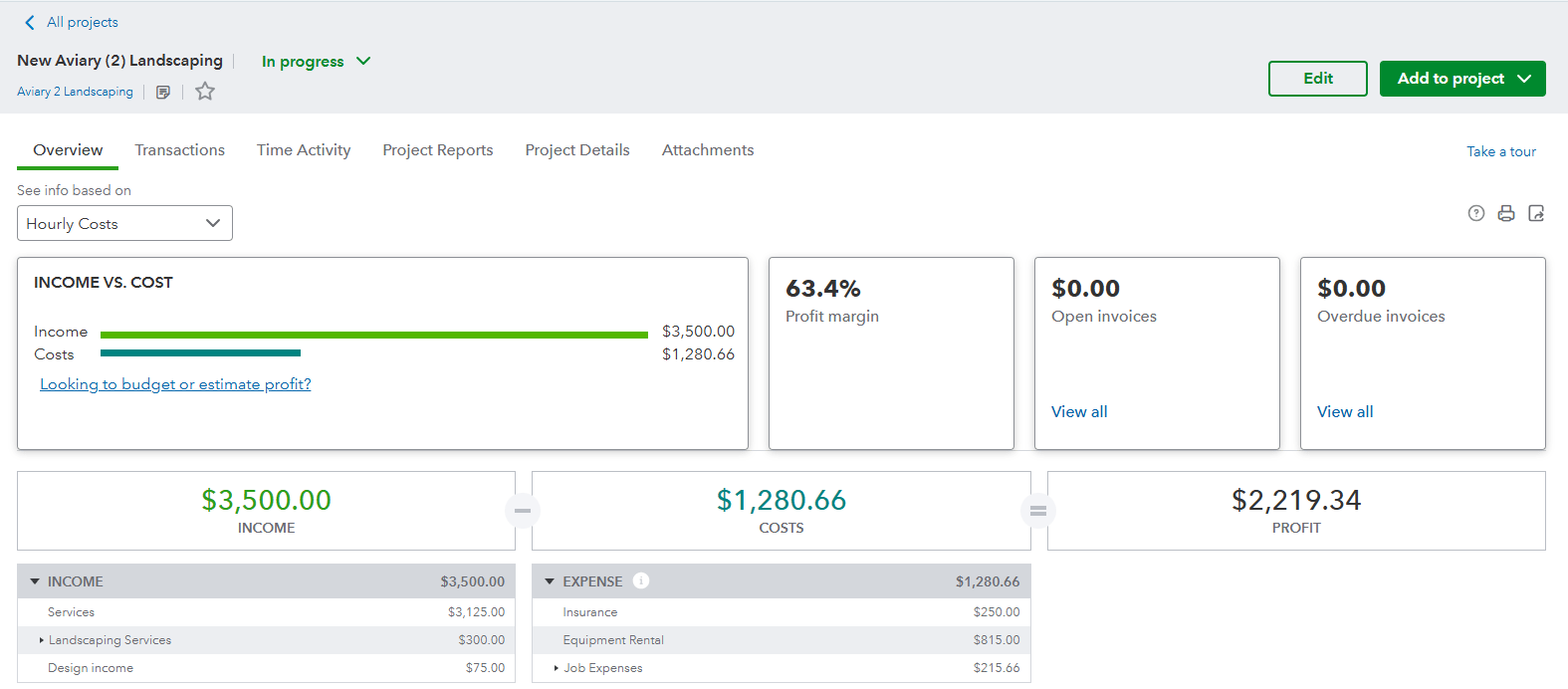
Fix in QBO: Use Classes or Projects to tag every expense. Turn on Project Profitability in QBO Plus or Advanced.
Mistake 2: Ignoring labor burden
You may pay $35/hr for a carpenter, but the real cost can land closer to $48/hr after payroll taxes, workers' compensation, and benefits. Track only gross wages and you quietly eat labor profit.
Fix in QBO: Set up labor burden as a Service Item with a burdened rate, or use payroll and time tools that keep burden visible on the job.
Mistake 3: No change-order tracking
Client adds a patio? Great. If you never create a separate change order in the books, extra revenue and cost vanish into the original job and distort profitability forever.
Fix in QBO: Create a Sub-Project under the main job for every change order. Run a P&L by sub-project before you celebrate the "extra work."
Mistake 4: Spreadsheet chaos
Excel is familiar, but version conflicts, broken formulas, and no audit trail often cost more than a QBO subscription. Field reality and office numbers diverge until nobody trusts the file.
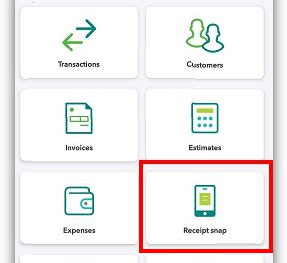
Fix in QBO: Use QBO Mobile to capture receipts on-site and assign them to jobs in real time.

Mistake 5: Waiting until month-end
By the time you reconcile in week five, the job may be mostly done and the profit leaks already spent. Real-time categorization is how you course-correct mid-project.
Fix in QBO: Enable Bank Feeds, categorize promptly, and run a weekly Project Profitability report every Monday.
Where payroll and field systems fit
Job costing fails when payroll burden and field production live in separate worlds. If certified payroll, multi-state rates, or 1099 vs W-2 issues are bleeding into job cost accuracy, review our contractor payroll solutions.
If your bigger gap is field documentation, schedules, and CSI pay apps that should match the same job story, see BalanceBuild Pro. Bookkeeping and software should reinforce each other, not argue.
FAQ
What is the most common job costing mistake?
Dumping job-specific costs into overhead so the next bid understates true cost.
What is labor burden?
The true cost of an hour beyond base wage: taxes, workers' compensation, benefits, and related burden.
Is Excel enough for job costing?
Sometimes for a tiny shop. Growing contractors usually need QBO Projects or Classes and a weekly profitability habit.
How often should I review job profitability?
Weekly beats month-end. Late reviews find losses after you can no longer change crew or buyout decisions.
Ready to review your last few jobs? Book a discovery call with Balance & Build Consulting, LLC, or explore construction bookkeeping services.
Get Your Job Costs Matching Field Reality
Balance & Build Consulting helps contractors tighten QuickBooks job costing and operating rhythm. If you also need field documentation and pay apps on live jobs, BalanceBuild Pro is built for that command center.
More from Balance & Build: All insights